> ## Documentation Index
> Fetch the complete documentation index at: https://docs.tokenfactory.nebius.com/llms.txt
> Use this file to discover all available pages before exploring further.
# Quickstart: Deploy in UI
> Dedicated endpoints can be deployed and managed through the Token Factory UI, with API workflows also available for automation.
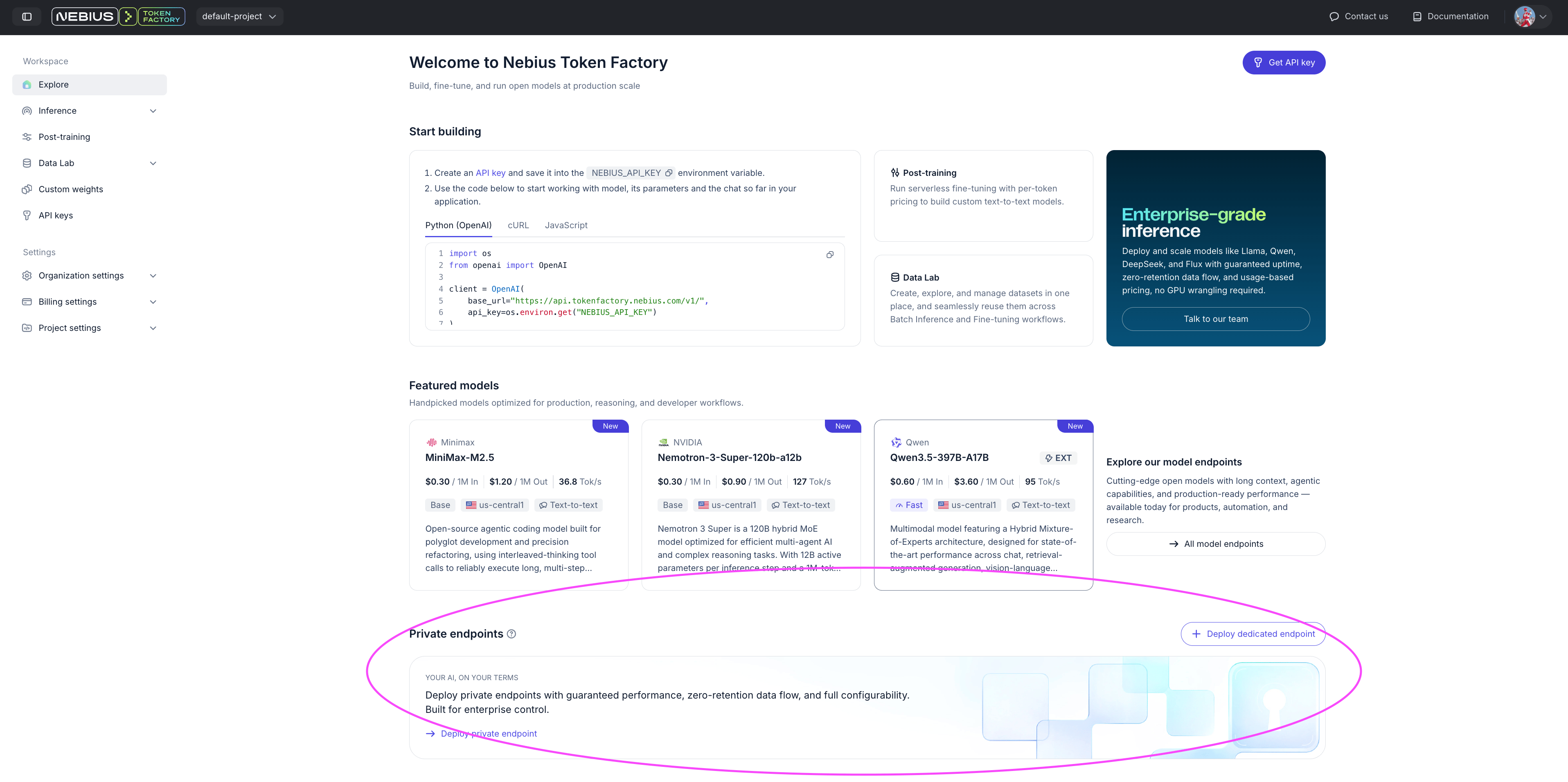
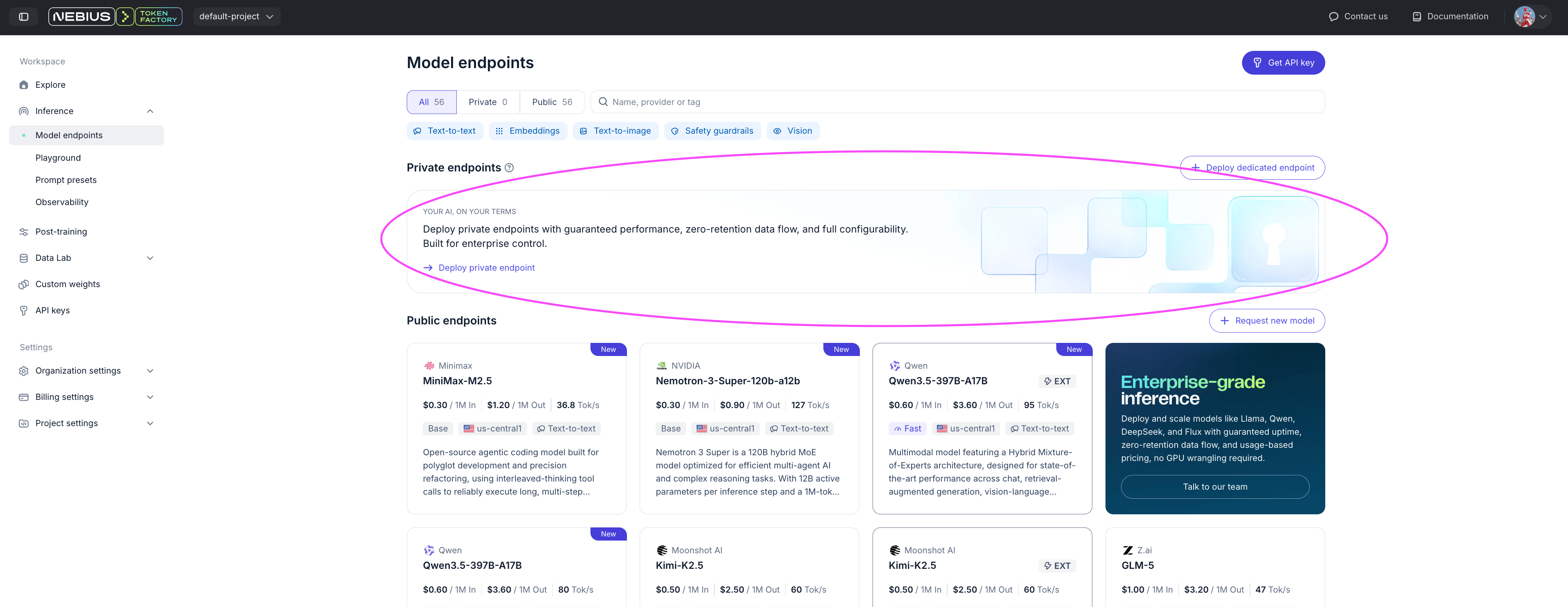
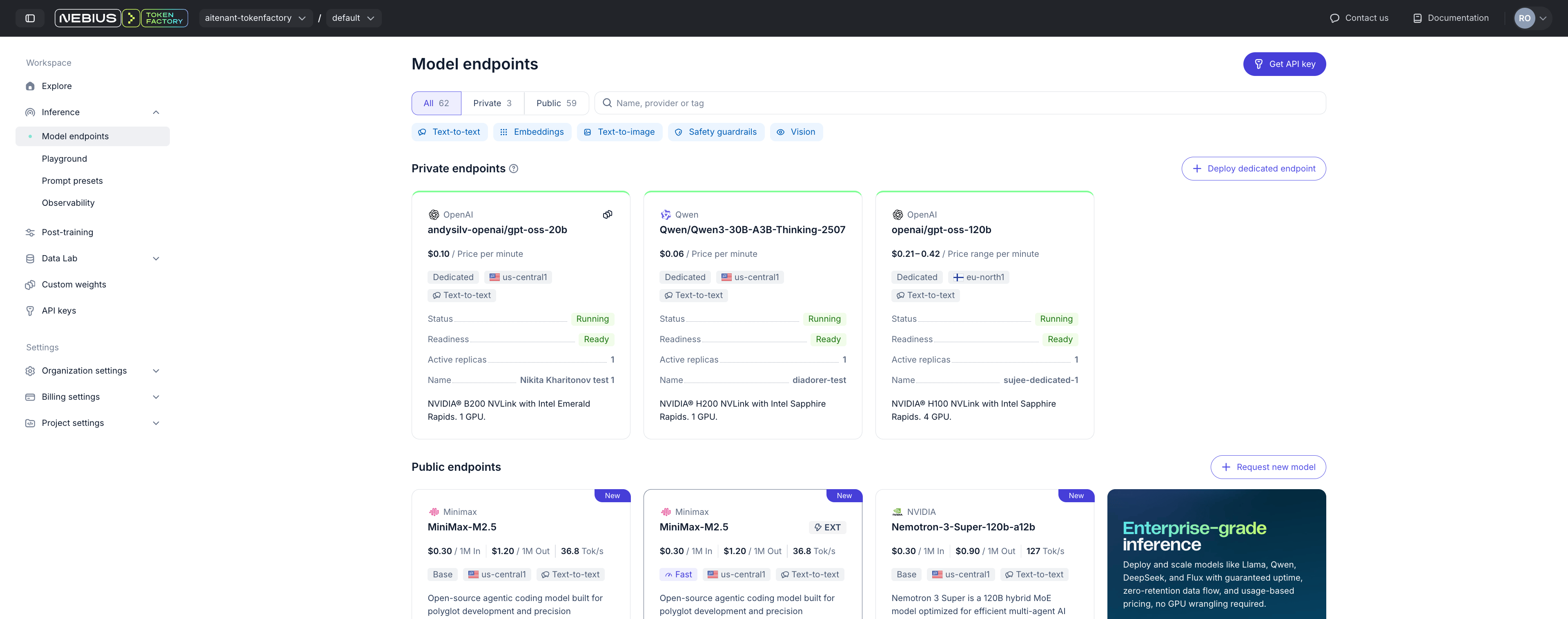
You can create a dedicated endpoint from either of these UI locations:
* Explore page: [https://tokenfactory.nebius.com/](https://tokenfactory.nebius.com/)
* Inference → Model Endpoints: [https://tokenfactory.nebius.com/endpoints](https://tokenfactory.nebius.com/endpoints)
1. Explore page [https://tokenfactory.nebius.com/](https://tokenfactory.nebius.com/)
2. Inference/Model Endpoints [https://tokenfactory.nebius.com/endpoints](https://tokenfactory.nebius.com/endpoints)
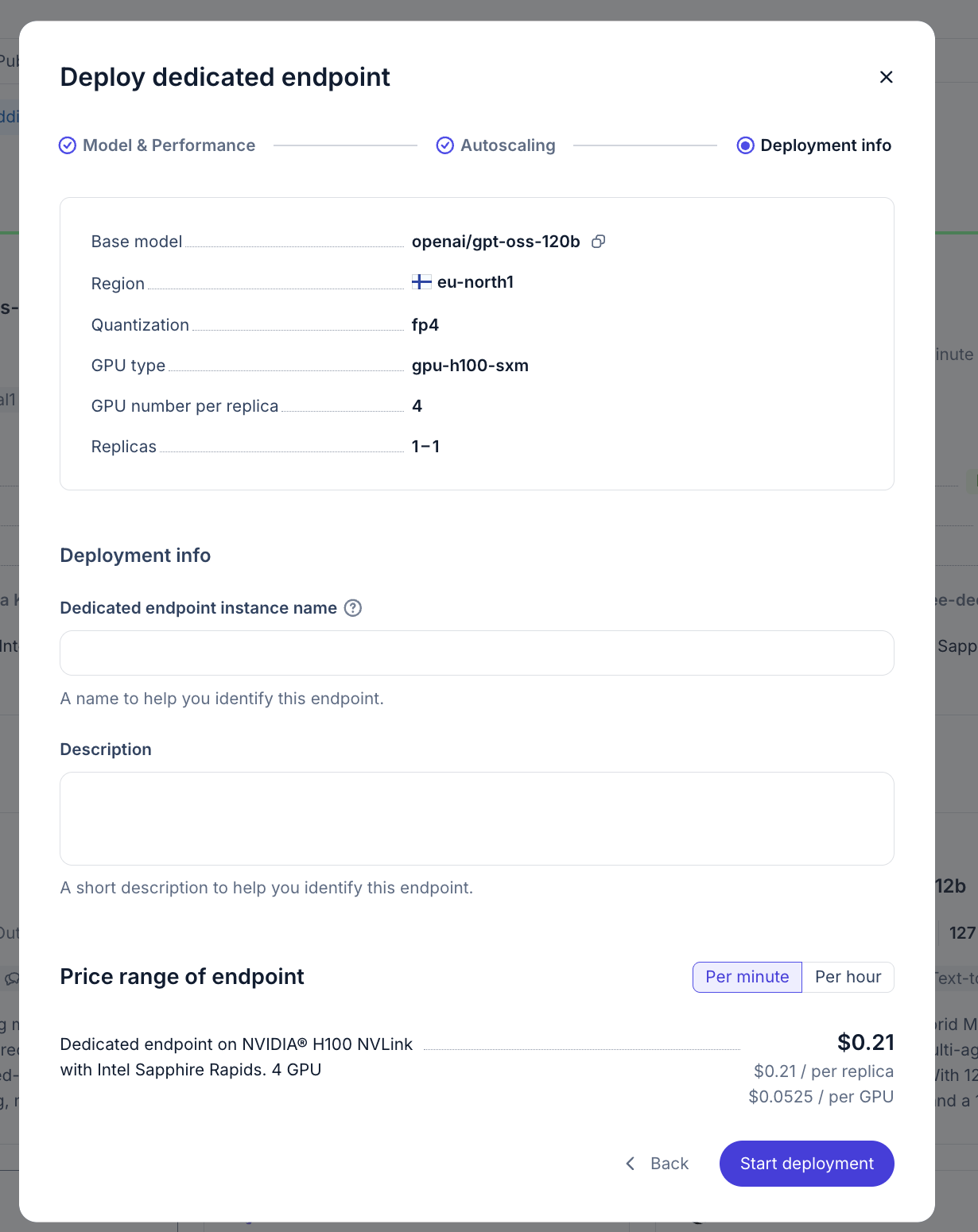
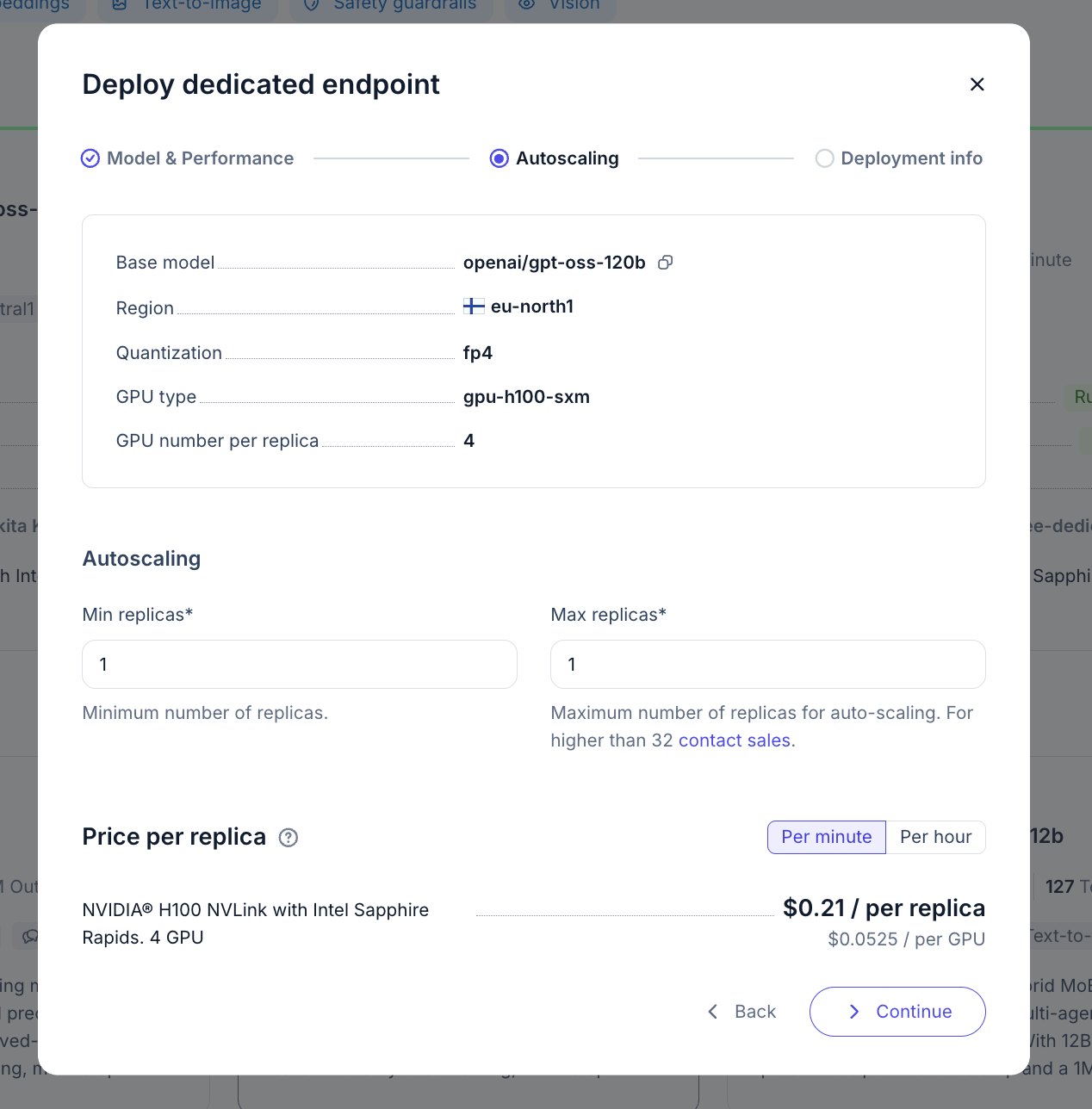
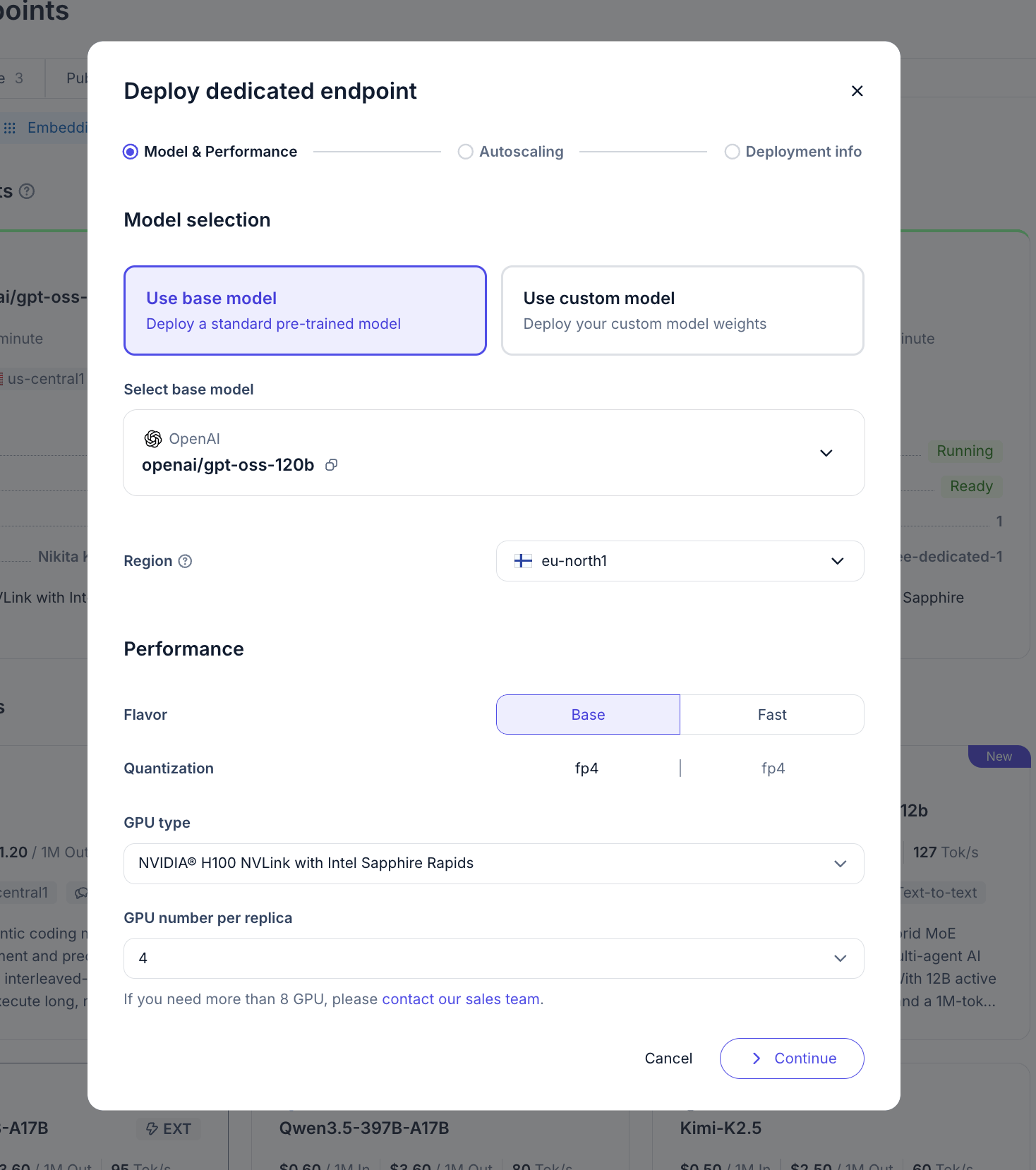
From there, select a supported model template and complete the deployment configuration, including region, GPU configuration, and autoscaling settings.
## Walkthrough on UI deployment
**Prefere automation?**\
For API-based deployment, see [Deploy in API ](/ai-models-inference/dedicated-endpoints/deploy-api)section
## Using endpoint
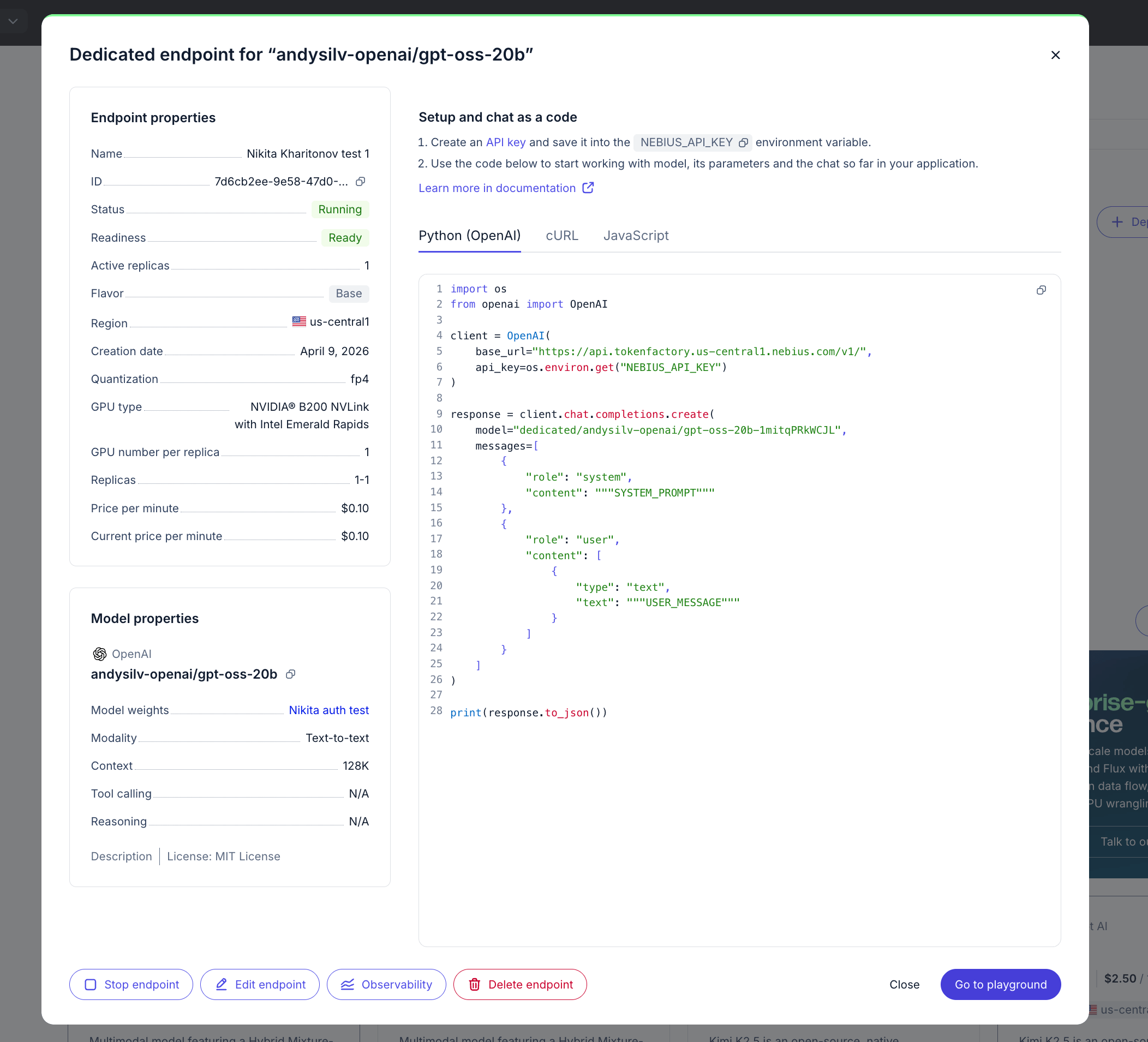
Go to **Inference → Model Endpoints** and open your private endpoint card.
There, you can view key deployment details, including:
* Endpoint ID
* Routing key
* Model
* GPUs per replica
* Minimum and maximum replicas
* Deployment status
* Ready-to-use code snippets
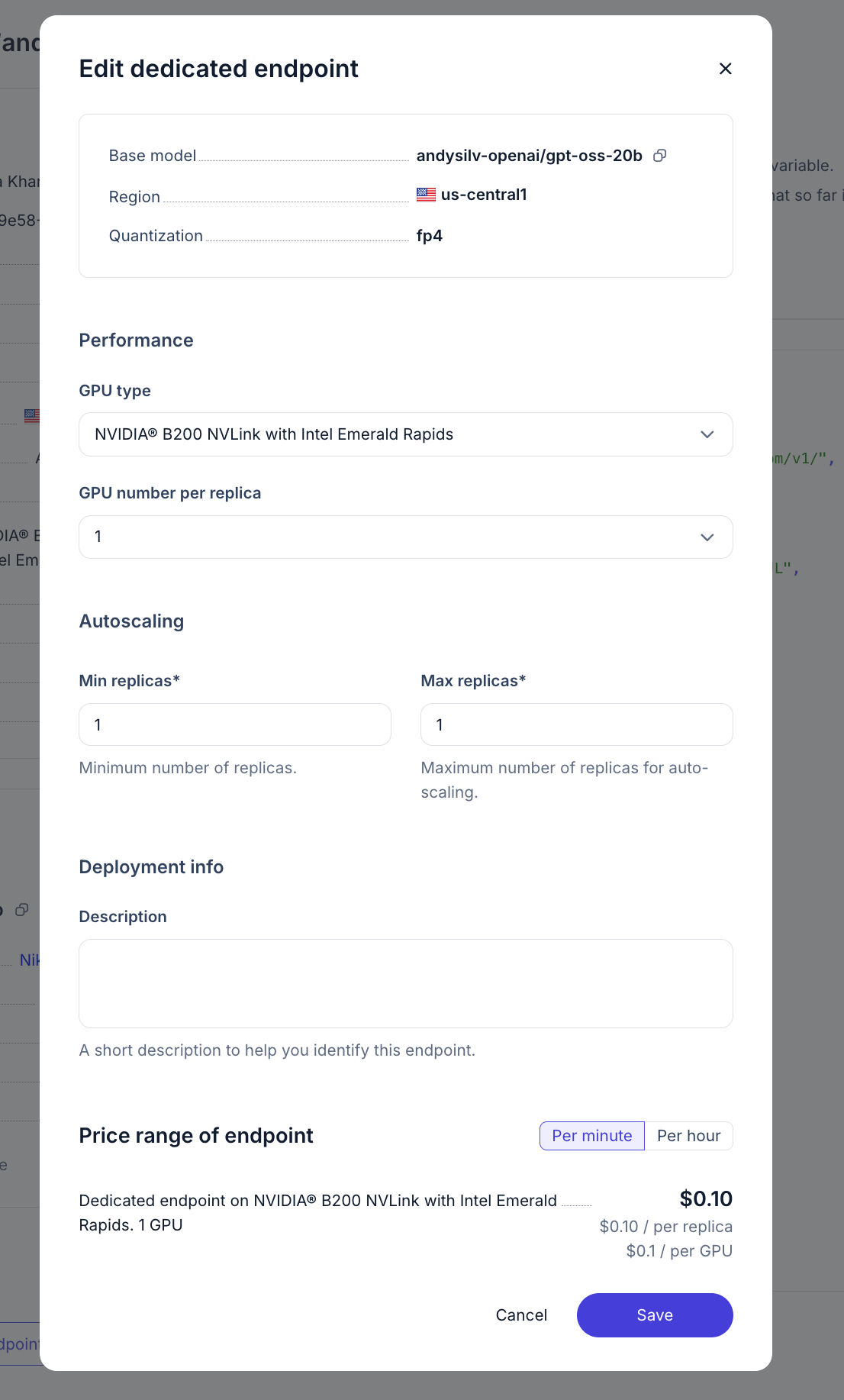
To update configuration, click **Edit Endpoint**.
To check observability metrics you can either:
1. Open dedicated endpoints model card and click Observability button below
2. Go to observability section and set filters to your enpoint: [https://tokenfactory.nebius.com/observability](https://tokenfactory.nebius.com/observability?monitoring_model=all\&monitoring_cloud_account_id=all\&monitoring_region=all)
Read more at [Observability section](/ai-models-inference/observability)
## Walkthrough on Operating Dedicated Endpoints
See **Walkthrough on Operating Dedicated Endpoints** for deployment management, scaling, and operational best practices
 There, you can view key deployment details, including:
* Endpoint ID
* Routing key
* Model
* GPUs per replica
* Minimum and maximum replicas
* Deployment status
* Ready-to-use code snippets
To update configuration, click **Edit Endpoint**.
There, you can view key deployment details, including:
* Endpoint ID
* Routing key
* Model
* GPUs per replica
* Minimum and maximum replicas
* Deployment status
* Ready-to-use code snippets
To update configuration, click **Edit Endpoint**.